Dispatch Consoles
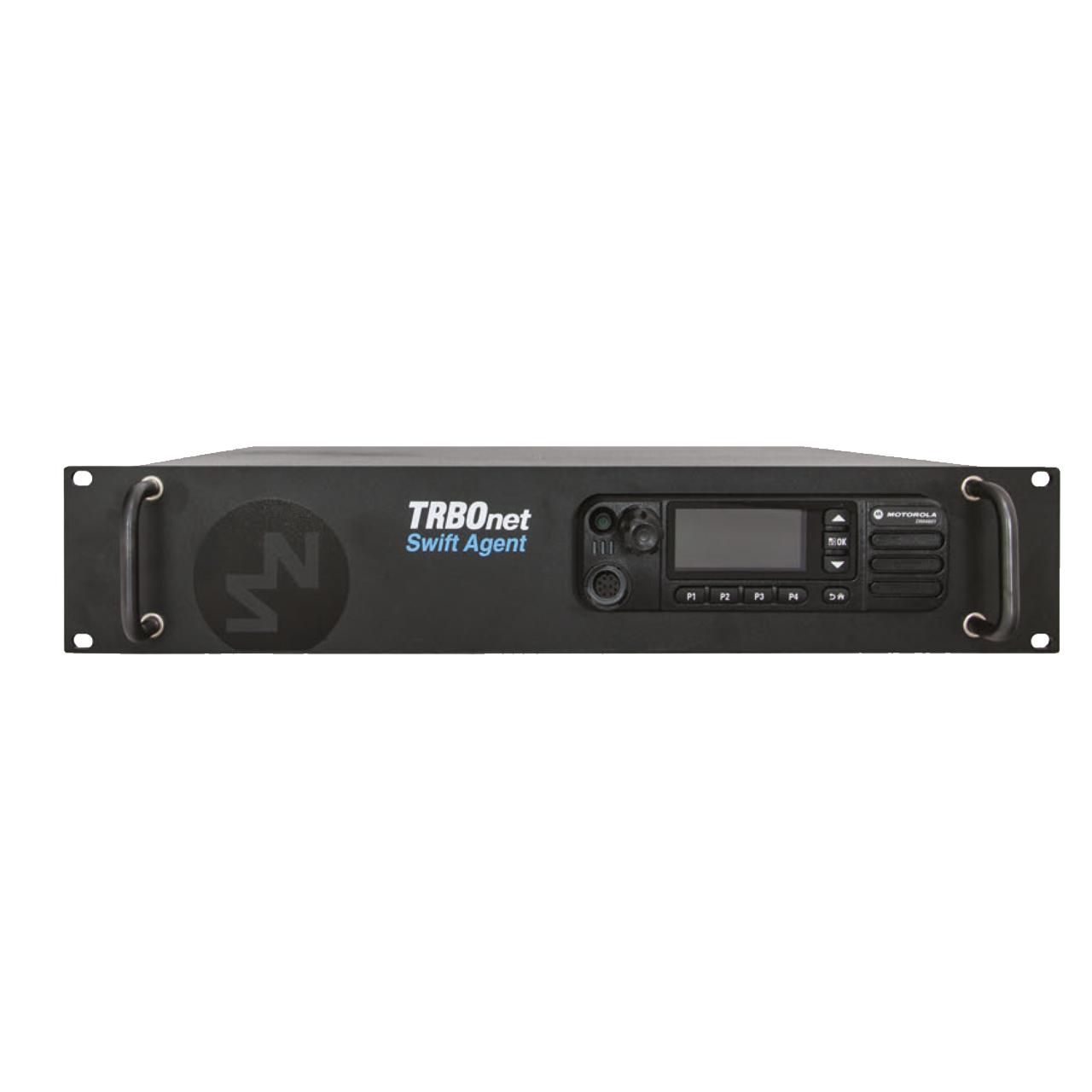
RoIP Gateway A100
Model Seri: ROIP-GATEWAY-A100
Kategori: Dispatch Consoles
Hubungi Kami
Konsultasikan kebutuhan radio komunikasi Anda dengan tim teknisi ahli kami secara langsung untuk mendapatkan penawaran terbaik.
OVERVIEW & SPESIFIKASI
RoIP Gateway A100

Remote Control Room
Radio-over-IP gateways allow a system owner to connect one or several control (base) stations to TRBOnet Enterprise or Plus without the need to install a computer at a remote site. The gateway fully supports MOTOTRBO control radios for voice and data traffic, and also provides a voice channel when connected to a non-MOTOTRBO radio.
Features
Rack Mounted Unit
The A001 IP Gateway fits in standard 19'' racks, with the control radio embedded in the gateway case.
Remote Control Room Solution
Ideal for Analog-to-Digital Migration
Interface to Other Radio Platforms
High Latency Environments
Made by Neocom
Remote Control Room
Geographically distributed
Remote control radios
Latency up to 1800 ms
Analog and digital radios
Smooth Migration
Analog control radios
LAN connection to server
Cross-patching
Seamless integration
Reliable and Resilient
Rack mounted
Unattended operation
Connection status
Challenging environments
A Game Changing Solution
When you build or expand your radio network, you may face quite a few obstacles that can hinder the deployment. For instance, you may want to add a control radio to the radio network, but this radio should be installed in a neighboring town, which makes it impossible for you to connect it directly to your existing server. Or, you may have non-MOTOTRBO radios on your system, and you need to provide seamless integration. There are many different scenarios where the most appropriate solution is TRBOnet IP Gateway aka Agent. This is a product designed to work with control or donor radios. There are numerous scenarios where Swift IP Gateways can be implemented.Scenario 1: Remote Control Radio
You may have a local system and a remote control radio that you want to monitor. This remote radio can be hundreds of kilometres away from the dispatcher seat. Unfortunately, it is not possible to connect the remote radio to the server with a USB cable that long. The IP gateway makes it possible to use a LAN connection rather than USB. You can just put it near your mobile radio and connect it to your IP network. Each IP Gateway is able to work with one channel (voice or data).Scenario 2: High Latency Environment
The IP gateway can work with latencies up to 300 ms, which does compare to 60/90 ms recommended by the MOTOTRBO System Planner. If part of your MOTOTRBO radio network is located in such a challenging environment, it can be connected to your server using IP Gateways, one per channel.Scenario 3: Radio System on Control Radios
If your MOTOTRBO radio network is based on control radios, you may run into a few problems. First of all, you may not have enough USB ports in your PC to plug all of them into it. On the other hand, a USB cable per se cannot be considered as a very reliable means of connection. This is why the more control stations the more potential points of failure there are in your system. Finally, donor radios for voice channels must be connected to sound cards, each radio to the respective sound card. It is becoming increasingly difficult if you have to plug three or more control stations. Swift IP Gateways do not require USB ports, nor do they need sound cards. The LAN connection is by far more reliable and resilient.Scenario 4: Analog-to-Digital Migration
Last, but not least. If you decided to migrate from analog to digital, it may take a few years to purchase and install MOTOTRBO infrastructure and effectively replace all the components of the legacy radio network. This means that you can have both analog and digital radio subscribers on your network for quite awhile. At the same time, you want both types of radio users to communicate with each other during the migration period. In this case you can use our gateways to interface your MOTOTRBO radio network to the legacy system. You will require one analog control radio per each analog channel you want to monitor (note that your analog donor radio must be compatible with Swift IP Gateway). The essence of the solution is that you can use cross patch to automatically link digital and analog channels to provide seamless communication across different radio networks.
More from Dispatch Consoles
Produk Serupa
Footswitch P001
Detail & Spesifikasi
Microphone Adapter M002
Detail & Spesifikasi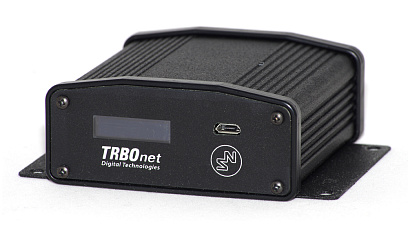
RoIP Gateway A200
Detail & Spesifikasi
TRBOnet Voice Recorder
Detail & Spesifikasi
×
![]()
RoIP Gateway A100