Dispatch Consoles
TRBOnet Mobile App
Model Seri: TRBONET-MOBILE-APP
Kategori: Dispatch Consoles
Hubungi Kami
Konsultasikan kebutuhan radio komunikasi Anda dengan tim teknisi ahli kami secara langsung untuk mendapatkan penawaran terbaik.
OVERVIEW & SPESIFIKASI
TRBOnet Mobile App
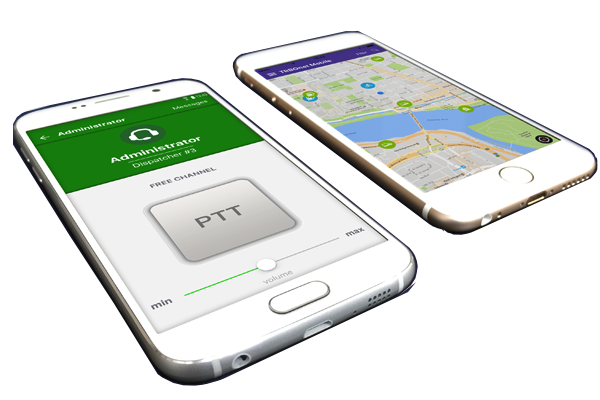
While you can always monitor MOTOTRBO™ devices through traditional control rooms and suites, the world is going mobile! If your radio users can head to the road, so can you. The TRBOnet Mobile App allows you to effectively set up a control room and dispatch solution on the go. If you need to run a flexible operation when monitoring and managing the radios and users in your fleet, then you may be keen to monitor everything via app.
TRBOnet’s pioneering technology and amazing user interfaces translate perfectly to both iOS and Android devices. Therefore, while the standalone applications and full suites may offer you a broader range of features and facilities, it may surprise you just how flexible and capable the official mobile app from the brand can be on the go.
TRBOnet is a brand we are always happy to host for. They specialise in keeping MOTOTRBO™ devices connected, and with Motorola Solutions two-way radios being some of the most popular devices in the country, it’s hardly surprising that their technology is continuing to turn heads.

Using a Dispatch App for Mobile
Using the TRBOnet mobile app couldn’t be easier. This program integrates perfectly with most smart devices and offers real-time communication and location services across 3G, 4G and Wi-Fi. Therefore, providing you have a data connection and a leading smartphone or tablet, you can easily connect to all the radios in your fleet.
Using a simple, intuitive interface designed for use on the go, the TRBOnet mobile app gives you access to call switching, emergency alerts, SMS, intercom services and more. Need to speak directly with a specific worker or user? Choose a private call. Need to relay an emergency or important message to several radios at once? Choose group call. It’s just as you will find on most fully-fledged suites for browsers and PCs.
Getting your smartphone ready to monitor and connect with MOTOTRBO™ devices couldn’t be easier. You can even set up and confirm job tickets with agents, meaning that you’ll always be able to track who is doing what, and where. It’s an awful lot of control in the palm of your hand!

The PTT mobile app is compatible with TRBOnet Enterprise and PLUS. It can also be used without any radio infrastructure (standalone POC-only systems).
PTT Mobile App (POC)
TRBOnet Mobile App for Android and iOS
TRBOnet Mobile App is a feature-rich push-to-talk application for Android and iOS that extends MOTOTRBO to smartphones and tablets. It works like a traditional console with the PTT capability and delivers essential information to the user's Android or iOS device. The solution provides full integration of smartphones with MOTOTRBO radios over 3G. 4G or Wi-Fi.
Make Your Smartphone MOTOTRBO-Compatible
The software enables your smart device to talk to MOTOTRBO and DIMETRA Express radio users, talk groups and dispatchers. The PoC application with the software PTT button allows for radio-style communication. The Android version supports the following features:- Group and private calls
- Full duplex private calls to PoC, TETRA users and dispatchers
- Private video calls to PoC and dispatchers
- In-Call priorities
- Emergency calls
- SIP dialer
- Safety features (Man Down detection, Shake to Alarm, No Movement)
- Lone Worker
- Call history and call recording,
- Request To Talk (Call Alert),
- Quick video and audio messages
- Messaging, group and private chats (message statuses, reply to and forward)
- Audio & Video call recording and playback
- Remote video monitoring
- File transfer, image preview
- Dispatcher intercom
- Online location and maps
- Job Ticketing
- NFC tag reader for indoor location tracking
- Support for Bluetooth accessories
- Redundant servers
Supported Devices and Accessories
Bittium Tough Mobile Boxchip S900, S900A, S900B, S900_Plus, S900A_Plus, S900B_Plus, H600, H600A, H600B, S900Plus Caltta GH820 Cat S30, S40, S60, S31, S41, S61 CrossCall Action-X3, Core-X3, TX4 Cyrus CS22, CS24, CS28, CS40, CS45 Ecom Smart -Ex 02 Estalky E120, E550, E610, E618, E887, E966, E966P, E977 Inrico 196, 199, S200, TM7, TM7 Plus I.Safe IS655.2, IS530, IS330, IS440.1, IS540.1 Kirisun T60, T65, W60, GP700 Kyocera E6810, E6820, E6830, E6782, E6715, E6790, E6790TM LYNKNEX CX3, CX6, MX1, PX5, PX350, MX1 Motorola LEX F10, LEX L10ig, LEX L10i, LEX L11, Evolve Ruggear RG160, RG170, RG190, RG725, RG750, RG935 Samsung Galaxy X Cover 5, X Cover 7 Sonim XP7700, XP6700, XP5700, Smart-Ex 01 Telox TE380, TE390, TE580, TE590, TE300K, MT100 Talkpod N50A, N56A, N57A, N58A, N59A Zebra TC20, TC25, TC57, TC75, TC77Bluetooth Accessories [Android]
Remote Speaker Microphones
AINA PTT Responder Inrico B01Buttons
Comu PTT868 Pryme BT-PTT-ZU Mini Pryme BT-PTT-ZU Super Mini BT PTT Button YPC21Wired Headsets [Android]
Any wired headset with media controls (main button as PTT, press to transmit, press again to stop transmission). Enabled in the mobile client settings.
More from Dispatch Consoles
Produk Serupa
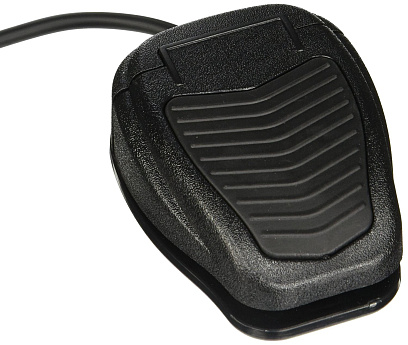
Footswitch P001
Detail & Spesifikasi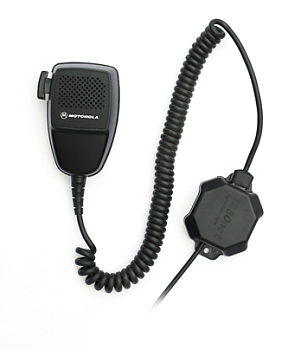
Microphone Adapter M002
Detail & Spesifikasi
RoIP Gateway A100
Detail & Spesifikasi
RoIP Gateway A200
Detail & Spesifikasi
×
![]()
TRBOnet Mobile App